> ## Documentation Index
> Fetch the complete documentation index at: https://docs.promptfoundry.ai/llms.txt
> Use this file to discover all available pages before exploring further.
# Evaluations
An evaluation is the process of assessing the quality and effectiveness of a prompt.
It involves testing the prompt against predefined cases and assertions to ensure it performs as expected in real-world scenarios.
Prompt Foundry provides comprehensive evaluation tools to help you iterate and optimize your prompts more effectively, enhancing confidence in prompt deployment.
 ## Evaluation
An evaluation represents a test case that can be run against a prompt.
## Evaluation Conversation
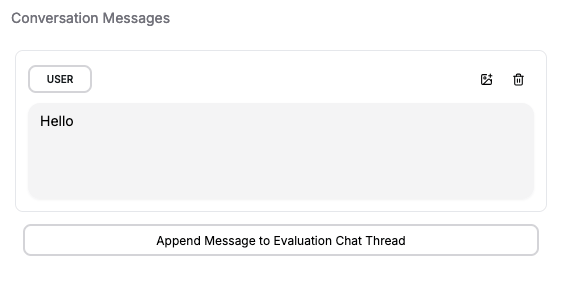
You can append multiple messages to an evaluation to simulate different stages or turns in an agent conversation.
This lets you test how the prompt performs across various conversation lengths and complexities. After setting up the conversation, you can write assertions to validate the model's responses, ensuring that your prompt behaves correctly and consistently across different scenarios.
## Evaluation
An evaluation represents a test case that can be run against a prompt.
## Evaluation Conversation
You can append multiple messages to an evaluation to simulate different stages or turns in an agent conversation.
This lets you test how the prompt performs across various conversation lengths and complexities. After setting up the conversation, you can write assertions to validate the model's responses, ensuring that your prompt behaves correctly and consistently across different scenarios.
 ## Evaluation Variables
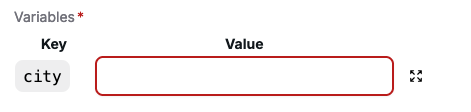
If the prompt requires variable inputs, you can set these within the evaluation. This allows you to test how the prompt responds to different variable values and ensures that it performs correctly under various input conditions.
## Evaluation Variables
If the prompt requires variable inputs, you can set these within the evaluation. This allows you to test how the prompt responds to different variable values and ensures that it performs correctly under various input conditions.
 ## Assertion
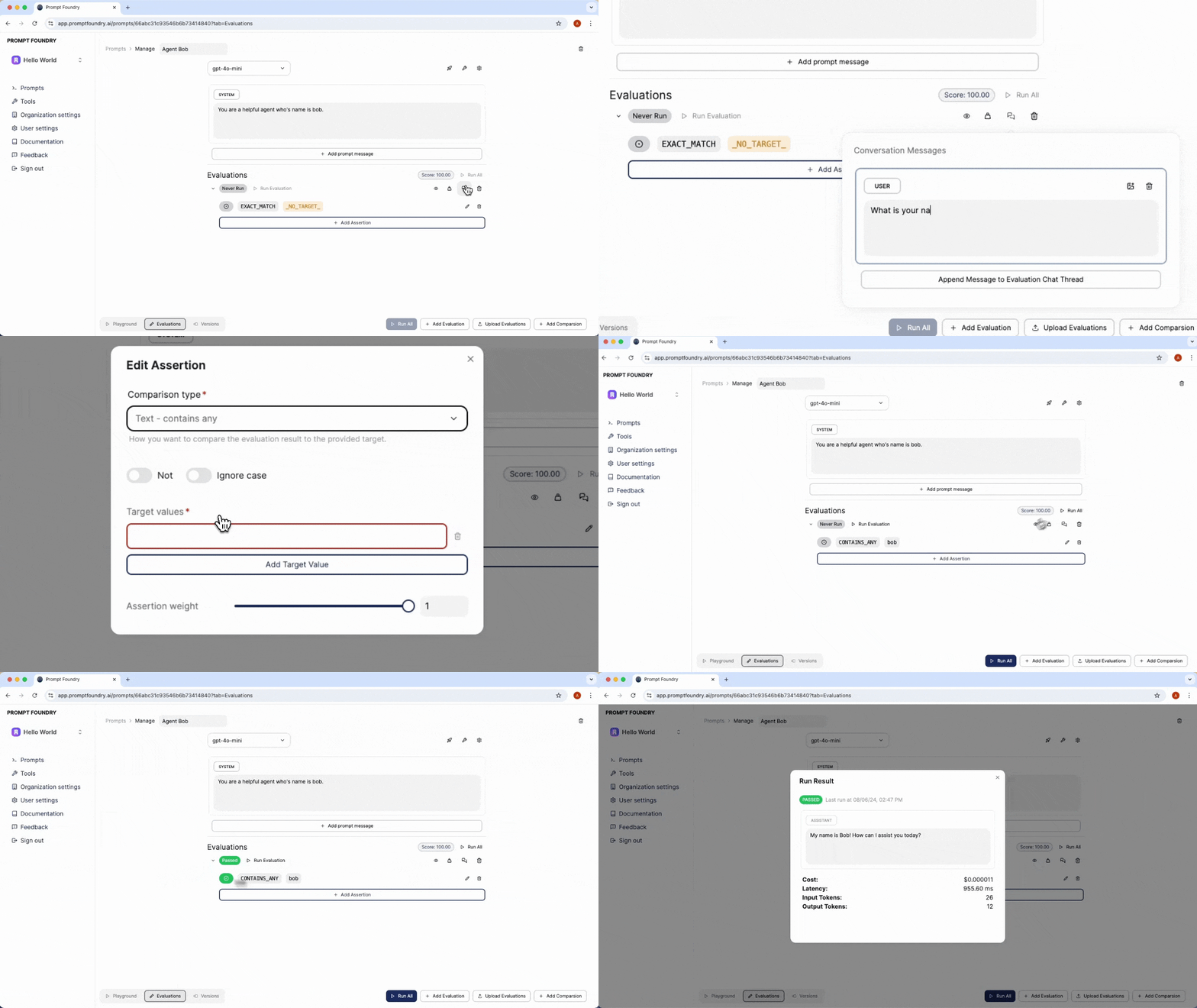
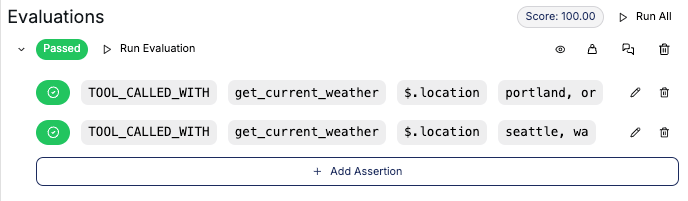
An evaluation assertion is a rule that determines the accuracy of the prompt's response. An evaluation can have multiple assertions to verify different aspects of the prompt's behavior.
### Assertion Types
There are various types of evaluation assertions you can use to test your prompt. Each assertion type has a specific purpose and is used to verify different aspects of the prompt's behavior.
#### Deterministic Assertion
Deterministic assertions test the prompt's response against a predefined set of rules.
| Type | Description |
| ------------------ | ------------------------------------------------------------------------------ |
| EXACT\_MATCH | The response value exactly matches the target value. |
| CONTAINS\_ALL | The response value contains all of the specified target values. |
| CONTAINS\_ANY | The response value contains any of the specified target values. |
| STARTS\_WITH | The response value starts with the given target value. |
| TOOL\_CALLED | The response includes a tool call to the specified target tool. |
| TOOL\_CALLED\_WITH | The response includes a tool call to the target tool with the given arguments. |
#### Deterministic Metric Assertion
Metric assertions test the prompt's response against predefined metric thresholds.
| Type | Description |
| ------- | -------------------------------------------------------- |
| LATENCY | The completion latency is below the specified threshold. |
| COST | The completion cost is below the specified value. |
### Assertion Modifiers
Assertion modifiers allow you to further customize the behavior of an assertion.
| Type | Description |
| ----------- | ----------------------------------------------------------------------------------------- |
| NOT | The `NOT` modifier allows you to invert the assertion so that it must not be true. |
| Ignore Case | The `Ignore Case` modifier enables case-insensitive matching or finding of string values. |
### JSON Response
If a prompt instance has a response type of `JSON`, the evaluation response will automatically be validated as valid JSON. If the validation fails, the evaluation will also fail.
### JSON Path
If the response type is `JSON`, you can use a JSON path to match assertions against specific parts of the response.
Provide the path to the JSON value you want to compare to the target.
Use `$` to reference the root object.
This follows the JSON path [specification](https://github.com/dchester/jsonpath?tab=readme-ov-file#jsonpath-syntax).
## Weights and Scores
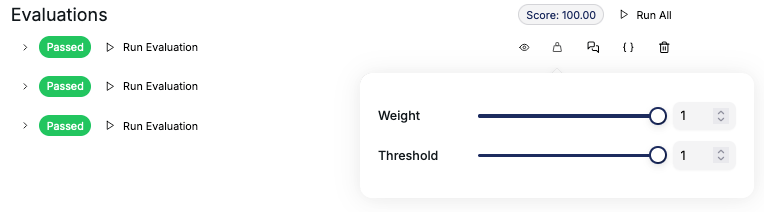
Each prompt instance will receive a score based on the evaluation results. The score is calculated using the weights assigned to each evaluation, the overall weight of each evaluation, and the weight of each assertion within the evaluation.
You can assign different weights to assertions depending on their importance or accuracy. The weight is a value between 0 and 1 that determines the importance of each assertion. The final score of the test case is calculated as the weighted average of the scores of all assertions, where the weights are the weight values of the assertions.
The score ranges from 0 to 100, with 100 being the best possible score. This score helps you determine the effectiveness of your prompt and make informed decisions about its deployment.
## Assertion
An evaluation assertion is a rule that determines the accuracy of the prompt's response. An evaluation can have multiple assertions to verify different aspects of the prompt's behavior.
### Assertion Types
There are various types of evaluation assertions you can use to test your prompt. Each assertion type has a specific purpose and is used to verify different aspects of the prompt's behavior.
#### Deterministic Assertion
Deterministic assertions test the prompt's response against a predefined set of rules.
| Type | Description |
| ------------------ | ------------------------------------------------------------------------------ |
| EXACT\_MATCH | The response value exactly matches the target value. |
| CONTAINS\_ALL | The response value contains all of the specified target values. |
| CONTAINS\_ANY | The response value contains any of the specified target values. |
| STARTS\_WITH | The response value starts with the given target value. |
| TOOL\_CALLED | The response includes a tool call to the specified target tool. |
| TOOL\_CALLED\_WITH | The response includes a tool call to the target tool with the given arguments. |
#### Deterministic Metric Assertion
Metric assertions test the prompt's response against predefined metric thresholds.
| Type | Description |
| ------- | -------------------------------------------------------- |
| LATENCY | The completion latency is below the specified threshold. |
| COST | The completion cost is below the specified value. |
### Assertion Modifiers
Assertion modifiers allow you to further customize the behavior of an assertion.
| Type | Description |
| ----------- | ----------------------------------------------------------------------------------------- |
| NOT | The `NOT` modifier allows you to invert the assertion so that it must not be true. |
| Ignore Case | The `Ignore Case` modifier enables case-insensitive matching or finding of string values. |
### JSON Response
If a prompt instance has a response type of `JSON`, the evaluation response will automatically be validated as valid JSON. If the validation fails, the evaluation will also fail.
### JSON Path
If the response type is `JSON`, you can use a JSON path to match assertions against specific parts of the response.
Provide the path to the JSON value you want to compare to the target.
Use `$` to reference the root object.
This follows the JSON path [specification](https://github.com/dchester/jsonpath?tab=readme-ov-file#jsonpath-syntax).
## Weights and Scores
Each prompt instance will receive a score based on the evaluation results. The score is calculated using the weights assigned to each evaluation, the overall weight of each evaluation, and the weight of each assertion within the evaluation.
You can assign different weights to assertions depending on their importance or accuracy. The weight is a value between 0 and 1 that determines the importance of each assertion. The final score of the test case is calculated as the weighted average of the scores of all assertions, where the weights are the weight values of the assertions.
The score ranges from 0 to 100, with 100 being the best possible score. This score helps you determine the effectiveness of your prompt and make informed decisions about its deployment.
 ## Evaluation Run Results
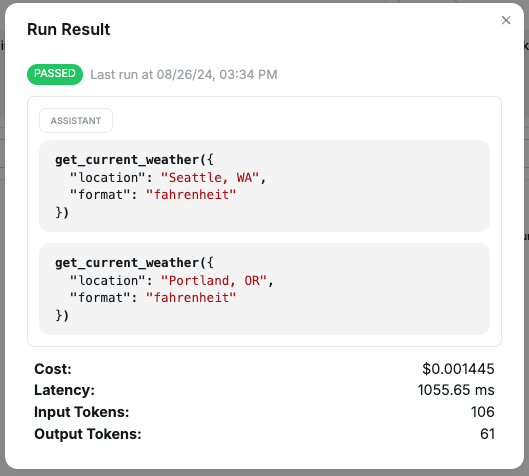
After running an evaluation, you can view the results to see how the prompt performed against the test cases. The results include the status of each assertion, along with details such as the model's response, latency, token usage, and cost.
## Evaluation Run Results
After running an evaluation, you can view the results to see how the prompt performed against the test cases. The results include the status of each assertion, along with details such as the model's response, latency, token usage, and cost.
 ## Create Evaluation from Conversation
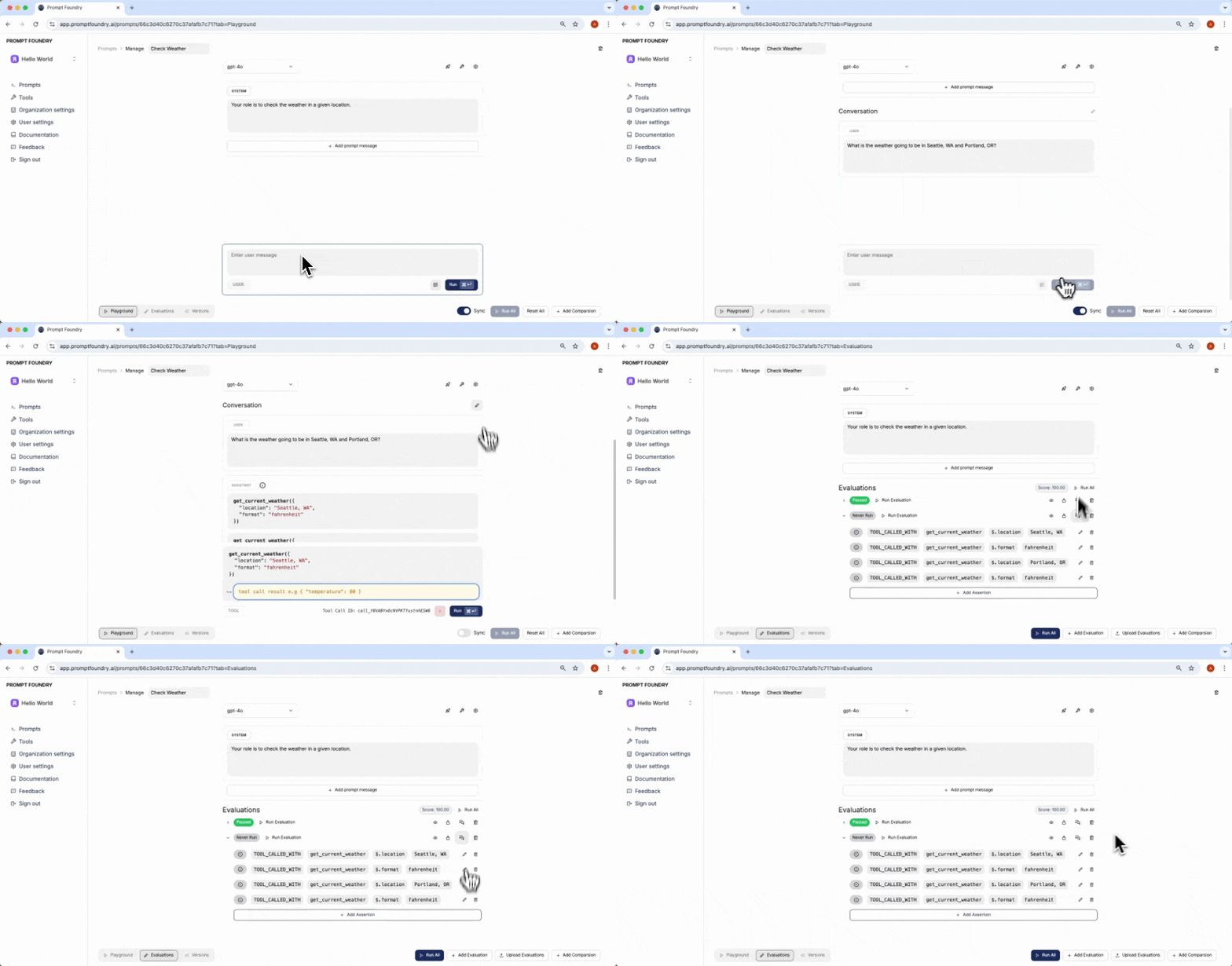
You can automatically create an evaluation directly from a playground conversation. This feature allows you to quickly bootstrap your test cases and start running evaluations based on real-world use cases, ensuring that the prompt behaves as expected in various scenarios as you refine it.
[Demo Video](/demos/create-eval-from-convo)
## Create Evaluation from Conversation
You can automatically create an evaluation directly from a playground conversation. This feature allows you to quickly bootstrap your test cases and start running evaluations based on real-world use cases, ensuring that the prompt behaves as expected in various scenarios as you refine it.
[Demo Video](/demos/create-eval-from-convo)